ILYGO BACKUP · USER GUIDES
One step at a time.
Workflows for each role. Screenshots show the local interface with entirely fictional API fixtures and data, captured on 18 October 2026. They do not show a deployed environment.
01
VIEWER
Review your workspace
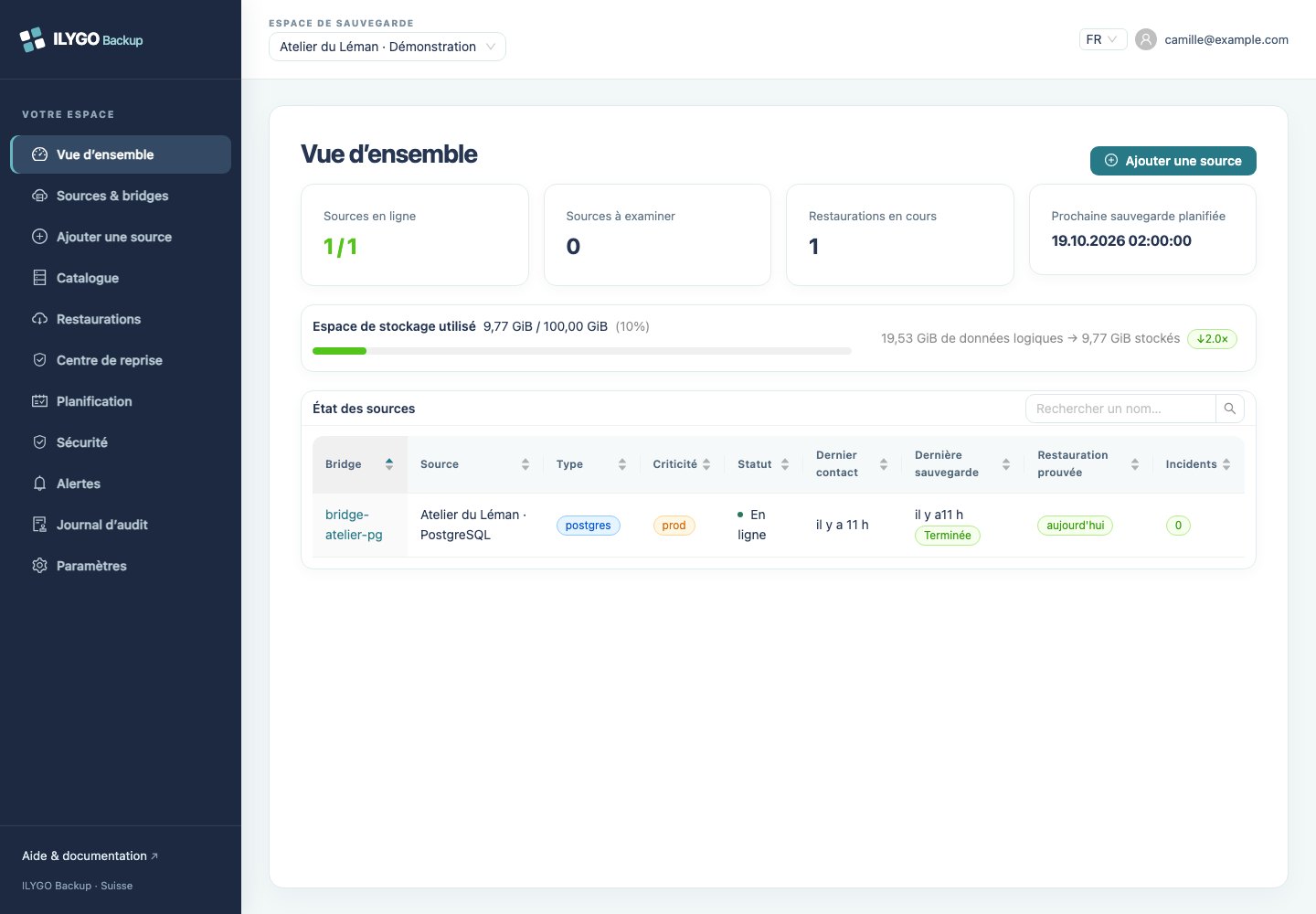
- Choose your workspace in the header. Overview shows connected sources, items needing attention and the next scheduled backup.
- Open a source to inspect its latest copy and proven restore. An online bridge does not establish application recovery.
02
VIEWER
Find a backup
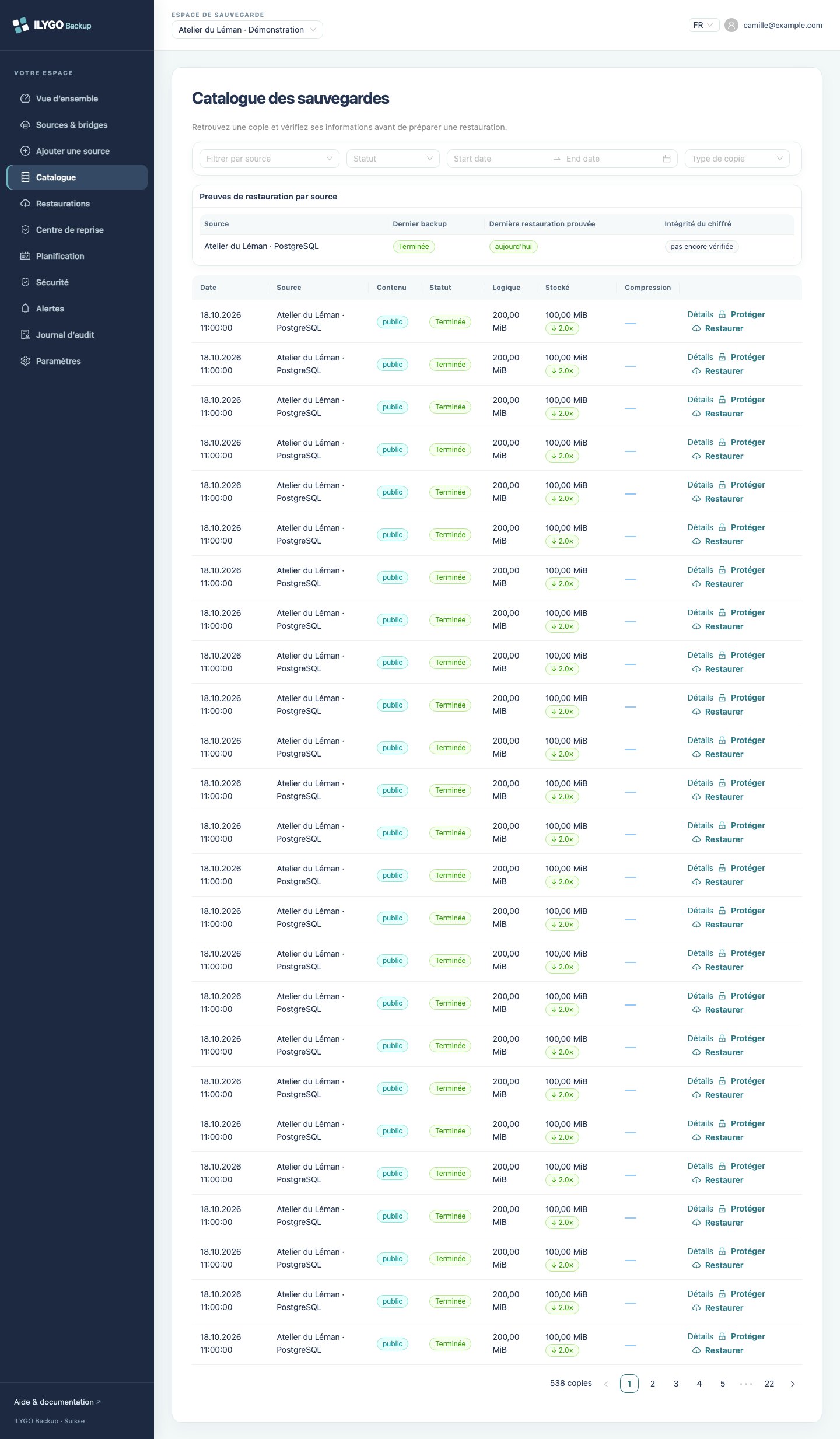
- Open Catalogue and filter by source, status, type and date interval. Browse the pages: the total covers the full authorized history.
- Open a copy to review size, protection, ancestry and verification. A completed copy is not restore proof.
03
WORKSPACE ADMINISTRATOR
Connect a source and safeguard keys
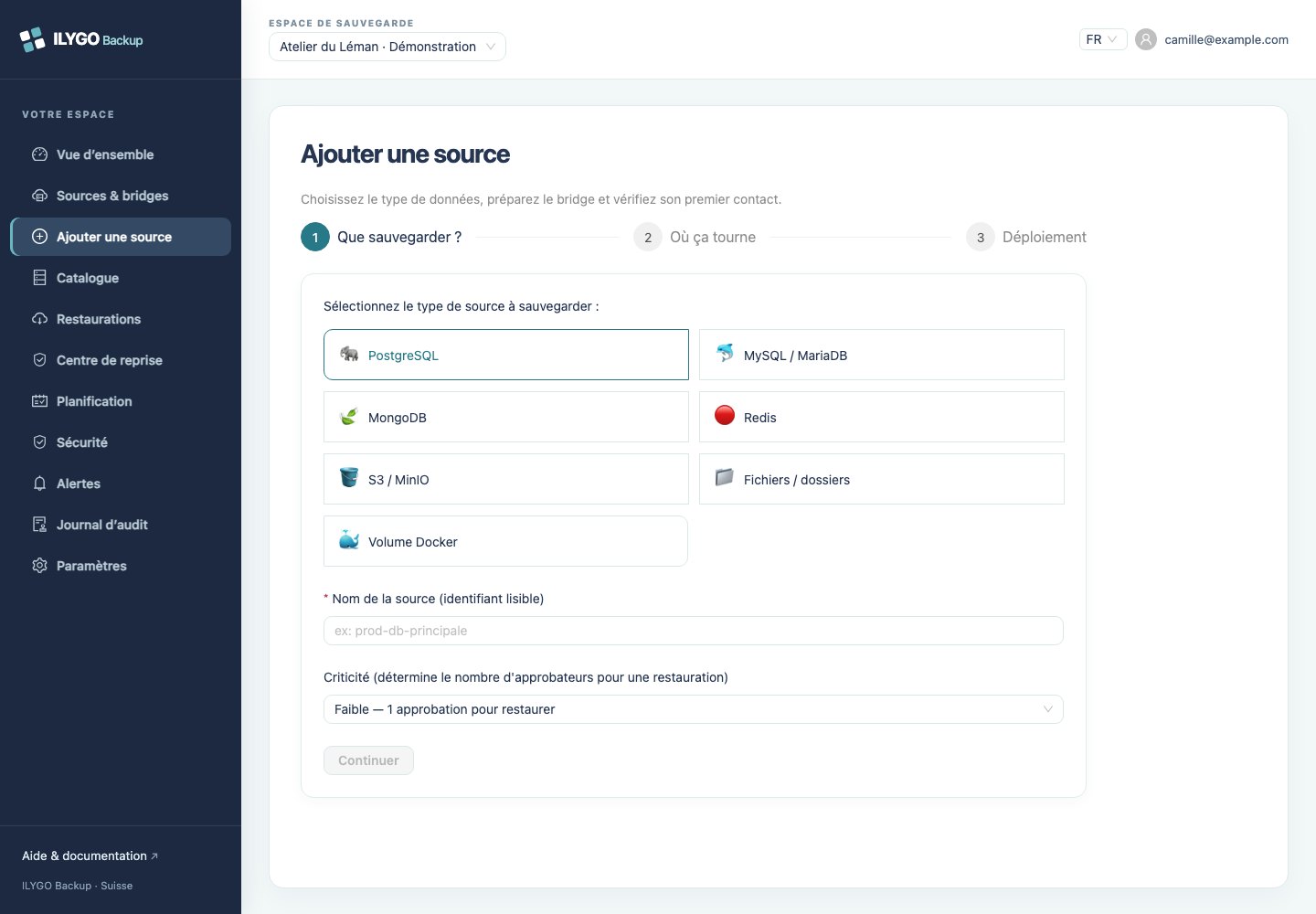
- Choose a connector in Add a source. Install the bridge locally, then check its connection and first completed copy.
- Keep the passphrase and every keyring version under separate custody. Recovery centre → Key custody records only a Vault reference, custodians and recovery evidence. Never paste a secret into that record.
04
ADMINISTRATOR AND APPROVER
Share and approve a restore
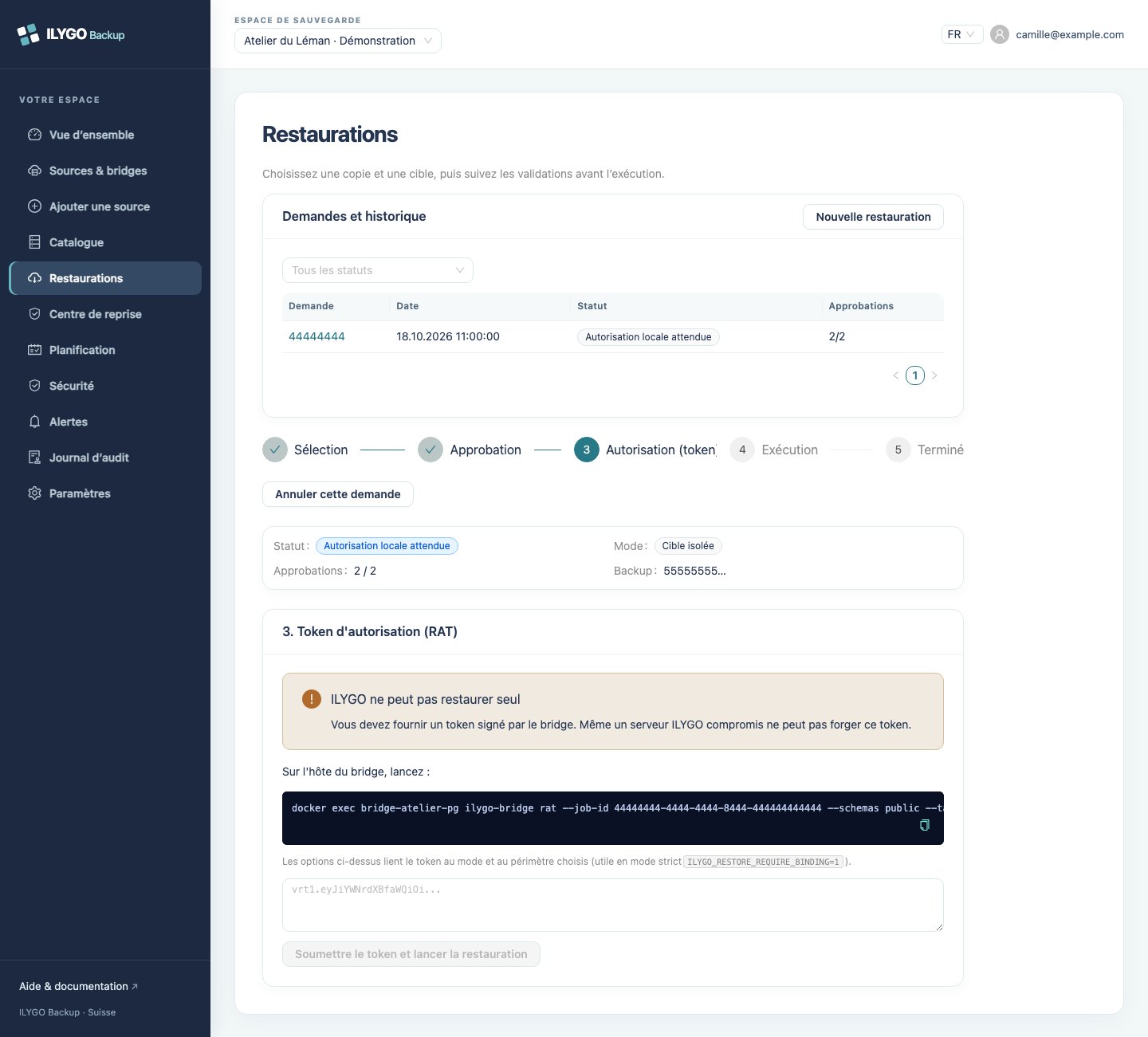
- Create a request from a copy. Review the scope and isolated destination. To replace an unavailable host, choose a compatible bridge in the same workspace and provide the historical key locally.
- Share the request URL with authorized approvers. It preserves the destination and scope after reload. After approval, run its displayed command on the target bridge to sign the local authorization.
- Follow execution and validate recovered content with its owner. Cancellation is available before dispatch; a running bridge command requires local coordination.
05
WORKSPACE ADMINISTRATOR
Choose a file, object or recovery time
- For an indexed file/object copy, unlock the index using your passphrase or keyring in this browser. The secret stays local; selected paths become part of the signed request. Close the index after use.
- For a physical PostgreSQL journal, choose a time inside its advertised commit interval. Recovery creates a new compatible cluster. Logical dumps cannot select a recovery time.
- Download the platform-specific recovery kit from a copy detail page. Keep keys separately and preposition database tools. Prove offline recovery before relying on the kit.
06
OWNER AND ADMINISTRATOR
Declare objectives and prove recovery
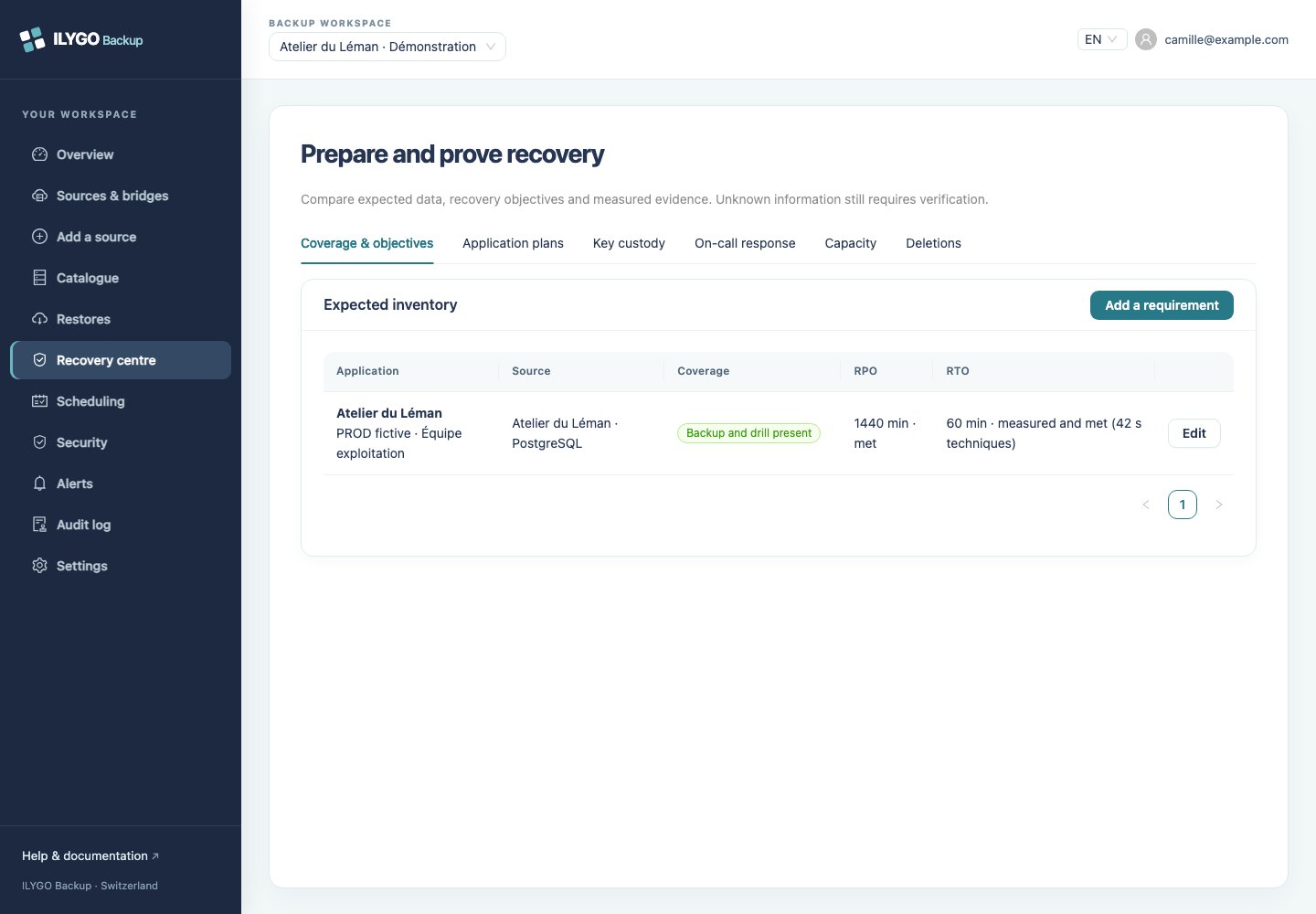
- In Recovery centre → Coverage & objectives, record application, environment, owner, RPO and RTO, including missing sources. Temporary exclusions require a reason and expiry.
- RPO compares copy freshness to the objective. RTO remains unproven without a fresh successful drill and local checks. It measures technical recovery; business switchover requires separate acceptance.
- Application plans declare sources, dependencies and acceptable timestamp skew. Run isolated exercises and inspect evidence per step. Successful source checks establish neither an atomic cross-engine snapshot nor an integrated application test.
07
WORKSPACE ADMINISTRATOR
Preview retention and cancel deletion
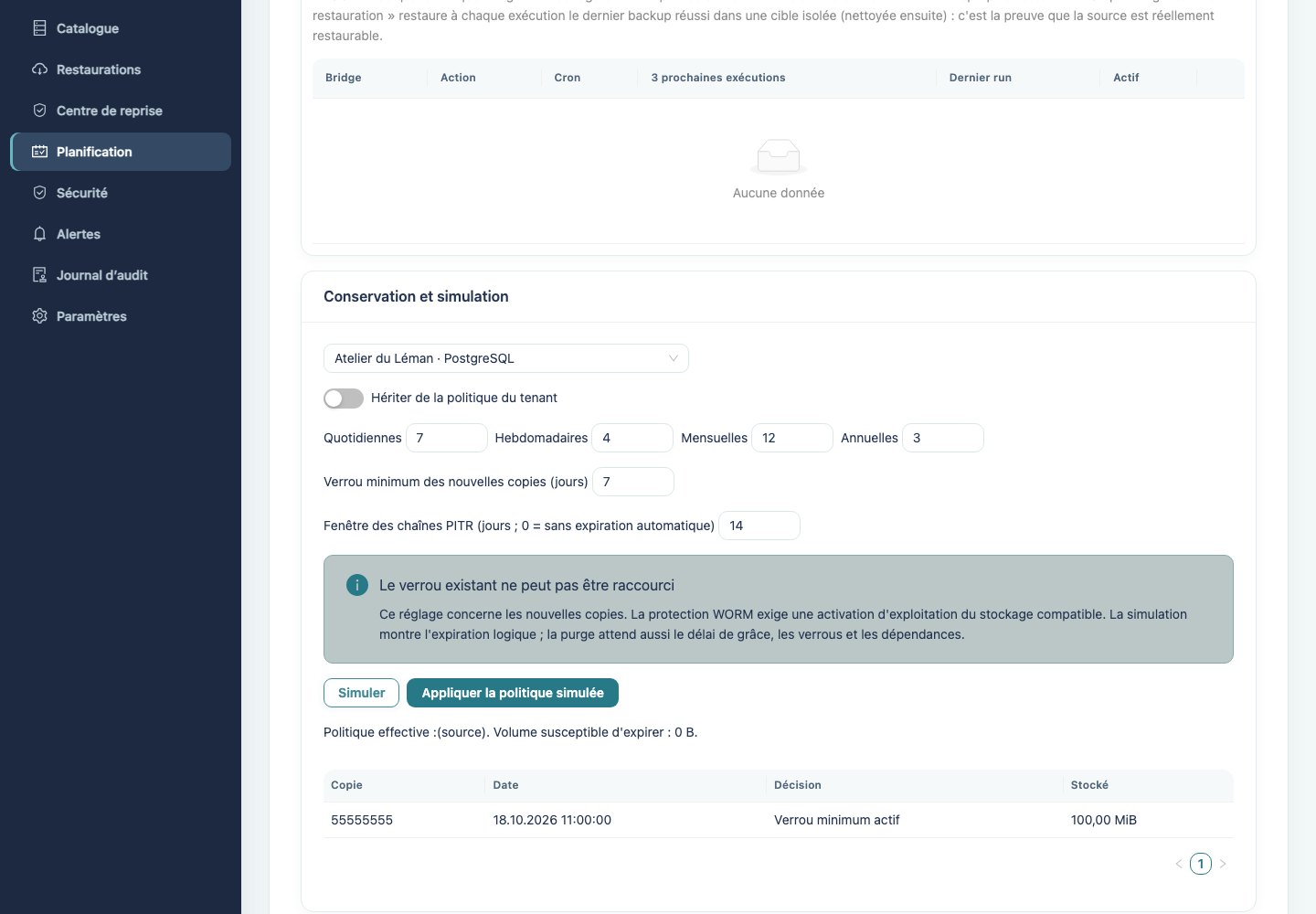
- In Scheduling, choose a source and inherited or custom daily, weekly, monthly and yearly counts. Set minimum lock for new copies and the PITR window, then simulate.
- Review decisions and eligible bytes before applying the simulated policy. Chains, locks, latest copies and active recovery work remain protected. Storage WORM requires a separately approved operational activation.
- Manual deletion creates a request. Two different administrators approve it; a 24-hour cancellation period follows. Physical purge still waits for the storage grace period. Review Recovery centre → Deletions.
08
WORKSPACE ADMINISTRATOR
Notifications, capacity and members
- Test each alert channel and read its receipt. Channel acceptance does not establish human reading. Configure escalation and maintenance in Recovery centre → On-call; maintenance defers normal alerts without discarding them.
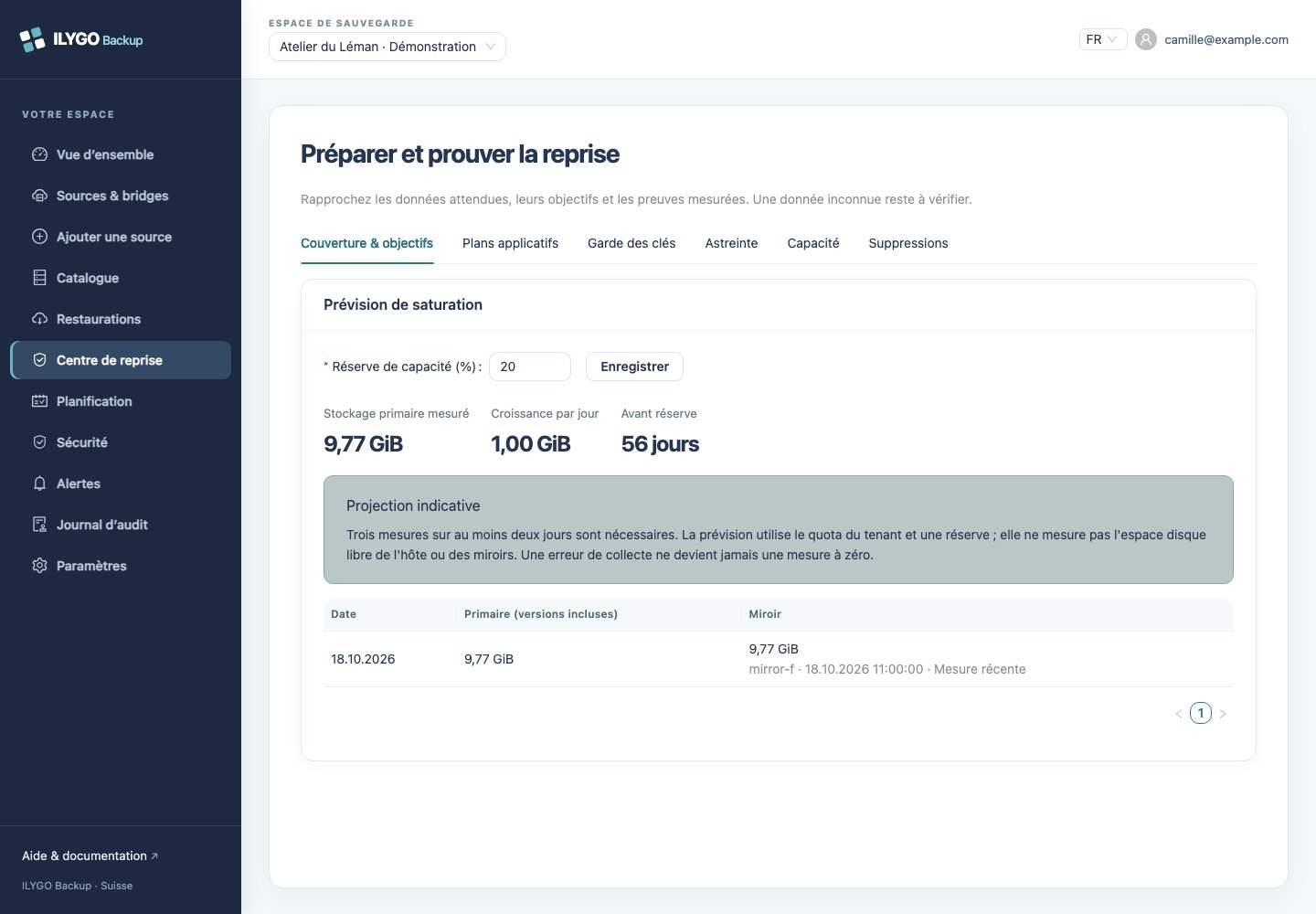
- Capacity shows reserve, measured growth and mirror freshness. Projection requires three samples over two days and compares quota; physical free disk may remain unknown.
- Settings → Members assigns viewer or workspace administrator to an existing Keycloak identity. The last active administrator and operator roles are protected.
- Schedules use an IANA timezone and local allowed window. Review upcoming runs. Spring DST gaps are skipped; repeated autumn slots represent two UTC instants. Catch-up is explicit and bounded.
09
ILYGO OPERATOR
Supervise the platform
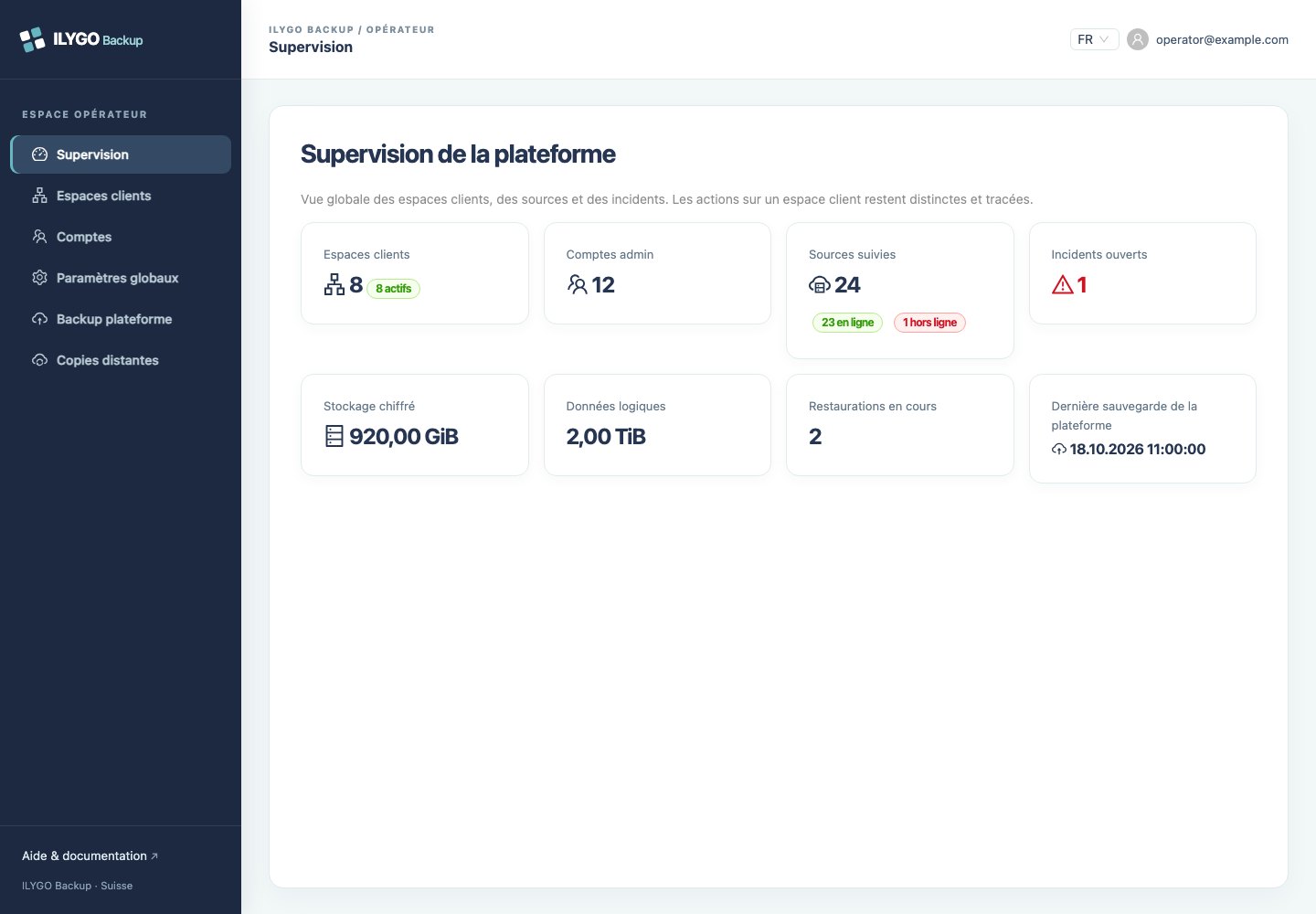
- Use the separate operator console with an authorized identity. Global views cover workspaces, sources, incidents, control-plane backups and remote copies.
- Use the audited support flow for client intervention. Source keys remain outside the console. WORM/PITR activation and identity changes require a validated operations plan.
Before activation
These screenshots illustrate local journeys with fictional data. Technical procedures cover prerequisites, verification and rollback; publishing this guide does not validate a deployment.
Technical documentation →